Start a session
One of the main collaborative features of the Renku platform are hosted sessions. These sessions are fully-featured Jupyter notebook servers running either JupyterLab, RStudio, VSCode or a fully-featured Linux desktop using VNC. We will use JupyterLab and RStudio for this tutorial.
In the previous step we created a new project using the Python, Julia or R template; we can start working with the project right from the browser by starting a session in either JupyterLab or RStudio. Click on Environments (1), then on New (2).
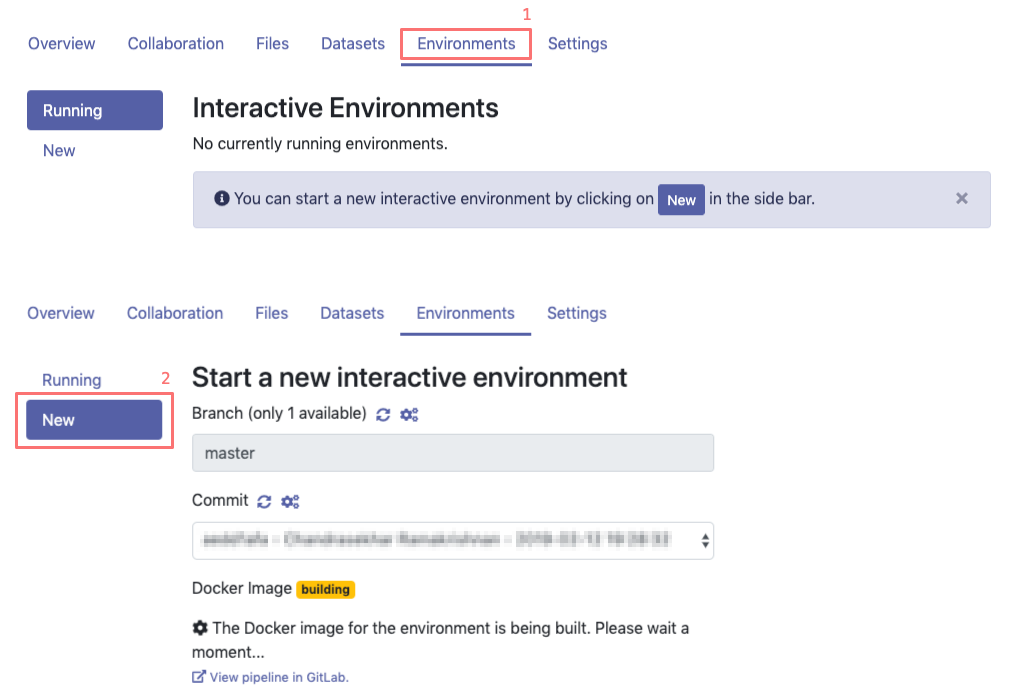
The Docker image takes some time to build, it’s possible that the status is still building. It will automatically refresh when it’s ready. Sit tight and wait for it to become available.
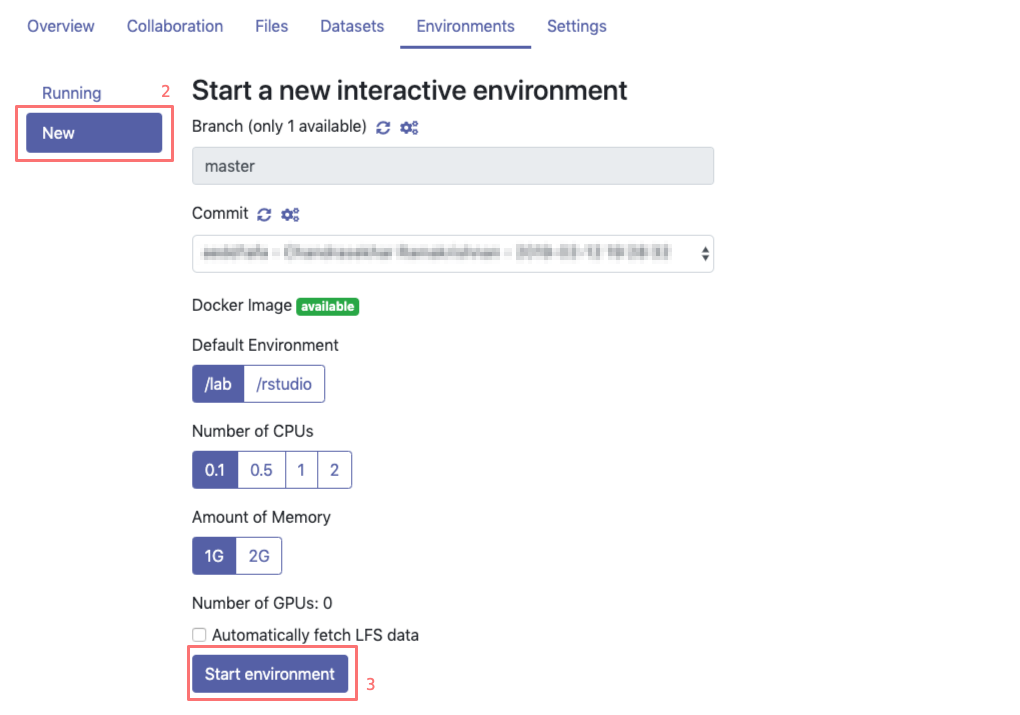
The default settings are fine for this tutorial. Choose either /lab or /rstudio depending on your project type and then click on Start environment (3). You will see a table with the status of the environment launch (initially in yellow) on the right. Wait until its color has turned to green and the status from Pending to Running.
Note
Please be patient, the first time you start a server it may require some time to launch.
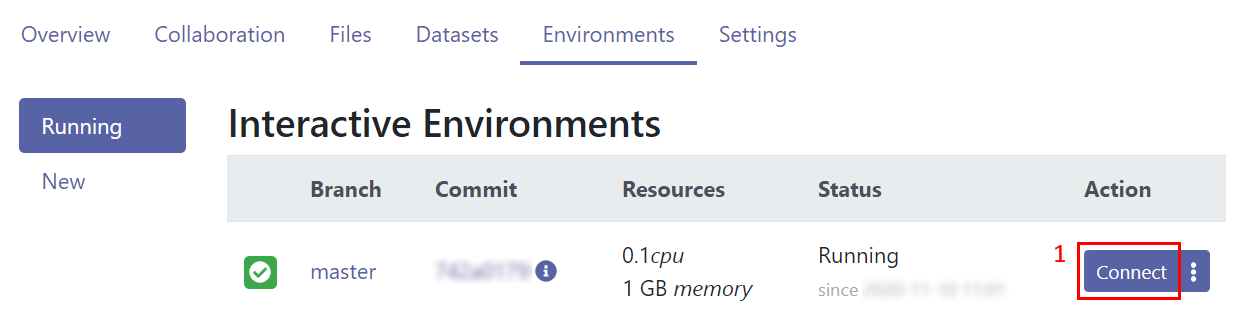
You can now connect to the server by clicking on the Connect button (1).